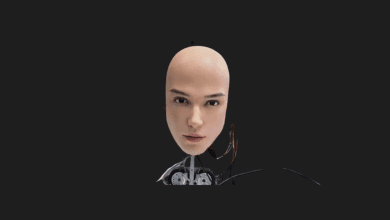
Meet Lenovo’s AI Workmate: The Desktop Robot Projector


I have always been a sucker for weird and wonderful desk gadgets. While everyone else at Mobile World Congress was losing their minds over transparent laptops and bendable phones, I found myself completely captivated by something sitting quietly on a table. Lenovo brought a literal robot to the show.
They call it the AI Workmate Concept, and it is essentially a ridiculously overpowered, AI-driven digital assistant that lives on your desk, watches what you do, and projects screens onto your walls. Lenovo’s message with this device is loud and clear: they don’t just want to build the laptop you work on; they want to build the robotic colleague you work with.
I spent some time looking into what this little machine can actually do, and it completely changes how I think about interacting with artificial intelligence in a physical workspace. Let’s break down the specs, the weirdly charming personality features, and why this might be the end of the traditional flatbed scanner.
A Powerhouse Disguised as a Desk Toy

At first glance, the AI Workmate looks like a high-end webcam crossed with a Pixar character. But under the hood, this thing is an absolute beast. Lenovo packed it with an Intel Core Ultra processor and a massive 64 GB of memory.
Why does a desk robot need that much power? Because it handles its AI tasks locally. Instead of sending every single voice command and scanned document to a remote cloud server—which is a massive privacy nightmare for corporate environments—the Workmate processes everything right there on your desk.
Here is what makes it stand out from the smart speakers we are used to:
- The LCD Face: The front features a 3,4-inch, 480 x 480 resolution display. But instead of showing you boring data or text, it is entirely dedicated to the robot’s personality.
- Expressive Animations: When it is processing a complex task, its digital eyes glow. If it didn’t hear your command, it raises a virtual hand to its ear. During the demo, I even saw it pretend to sip a cup of coffee and suddenly sport a digital mustache. It is a brilliant way to make interacting with AI feel less sterile and more natural.
- Multi-Modal Control: You don’t just have to talk to it. You can control it via voice, text inputs, and even hand gestures.
The Magic of Desktop Projection and Scanning

The real party trick of the AI Workmate is housed in its moving, articulated head. Alongside the screen, it features a built-in Pico projector and dual 5-megapixel downward-facing cameras.
Lenovo suggests placing the robot near a wall, and once you see it in action, you understand why. Instead of awkwardly turning your laptop monitor around to show a colleague a graph, you can simply ask the Workmate to project the document onto the wall or directly onto your desk.
The live demo Lenovo put on was genuinely impressive:
- A Lenovo representative asked the robot for a postcard.
- The AI Workmate generated a Barcelona-themed image with a Lenovo logo and projected it directly onto the physical tabletop.
- The representative placed a real, blank piece of paper on the desk, directly under the projection, and signed it with a pen.
- The robot’s downward-facing cameras immediately scanned the physical signature, digitized the document, and sent it straight to a nearby printer.
As someone who hates dealing with clunky scanner apps on my phone, this flow feels like magic. Imagine reviewing a physical design mockup, drawing a circle around a flaw with a red pen, and having your desk robot instantly digitize the note and slack it to your design team.
The Future of the Office (With a Few Caveats)

Beyond party tricks, the Workmate is designed for heavy lifting. It can scan long physical documents and generate instant summaries. If you are dreading a meeting, you can ask it to structure and generate a PowerPoint presentation for you based on your notes.
However, as much as I love this concept, I do have one major concern: noise.
Imagine an open-plan office where twenty people are simultaneously talking out loud to their desk robots, asking them to summarize PDFs and project spreadsheets. It would be absolute chaos. Lenovo noted that this is part of their broader vision to explore “spatial and physical AI experiences,” and I strongly suspect that if this ever becomes a retail product, the text-based and gesture controls will be the primary way we interact with it in busy environments.
My Final Take
The Lenovo AI Workmate is, for now, just a concept. You can’t go out and buy one tomorrow. But it is one of the smartest concepts I have seen in a long time. We have spent the last two years interacting with AI through flat, boring chat windows. Bringing that intelligence into the physical world, giving it a face, and allowing it to manipulate our physical documents via projection and scanning feels like the logical next step.
I would absolutely clear off a corner of my desk for one of these.
But I want to pass the question over to you. If Lenovo actually releases the AI Workmate, would you want a robotic assistant watching your desk and projecting your work, or does having a camera-equipped robot in your workspace feel a little too intrusive? Let me know what you think in the comments!
You Might Also Like;